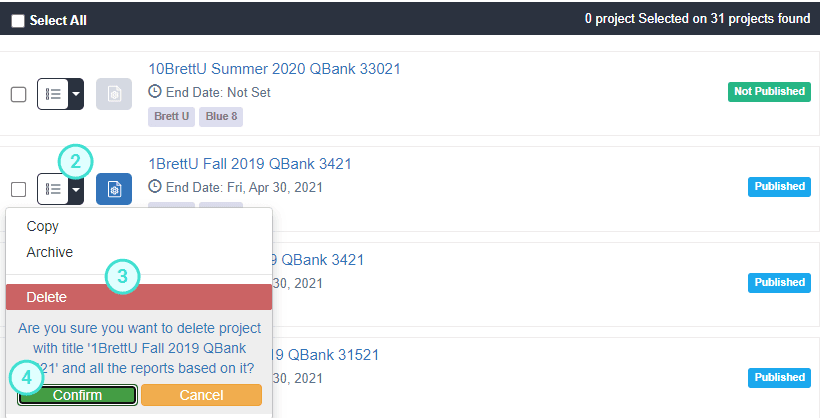
Delete a project
When a project is no longer required, it may be desirable to delete it from the Project List to reduce clutter and maintain a list of active projects.
Projects can be permanently deleted from Blue, but extreme caution should be exercised when deleting a project since the operation is final and all associated reports will also be permanently deleted.
CAUTION
If a project is deleted, all reports based on that project or associated with that project will also be deleted.
BEST PRACTICE
Archive projects instead of deleting them so that they can be accessed again in the future if necessary.
- Navigate to the Projects List.
- Select the Actions button for the project that needs to be deleted.
- Select Delete from the list of options.
- Click Confirm to delete the project.