Use the group details form
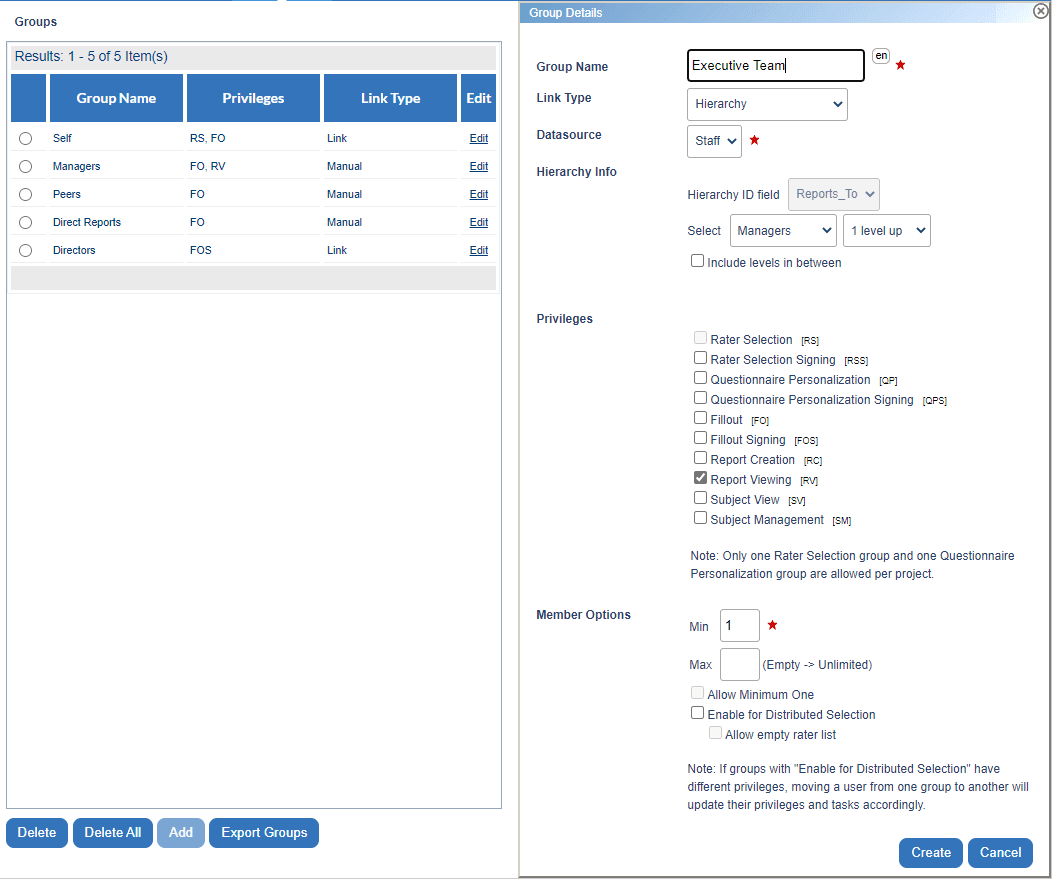
Groups details is the form that must be completed when creating or editing a group. There are a number of options available that may be changed.
THINGS TO KNOW ABOUT GROUP DETAILS
- Choose the minimum and maximum number of members allowed in the group.
- If the min/max threshold is not met for a confidential project, then the project cannot be published.
- Select Enable for Distributed Selection so that Rater selection task owners can assign members of this group to the Fillout task.
- Enable for Distributed Selection is only available for Subject and Primary/Secondary definitions.
- Allow empty rater list is only available for groups that have Enable for Distributed Selection enabled.
- When Allow empty rater list is enabled, Rater selection task owners can submit Rater selection tasks that contain no assigned raters.