Navigate the homepage
The homepage is the first thing we will see after logging in. Depending on the permissions, the homepage will display different information. For example, administrators will see more navigation options and data regarding other users' surveys.
- When you click on any of the pages after logging in, there is a three-dot icon menu next to the account username. When clicking the three-dot hover next to your account, it displays your account information and shortcuts to your profile settings.
- Language - switch your BlueX experience from English to French.
- Help center - open a new tab/window to BlueX online help.
- Log out - exit BlueX and safely end your session.
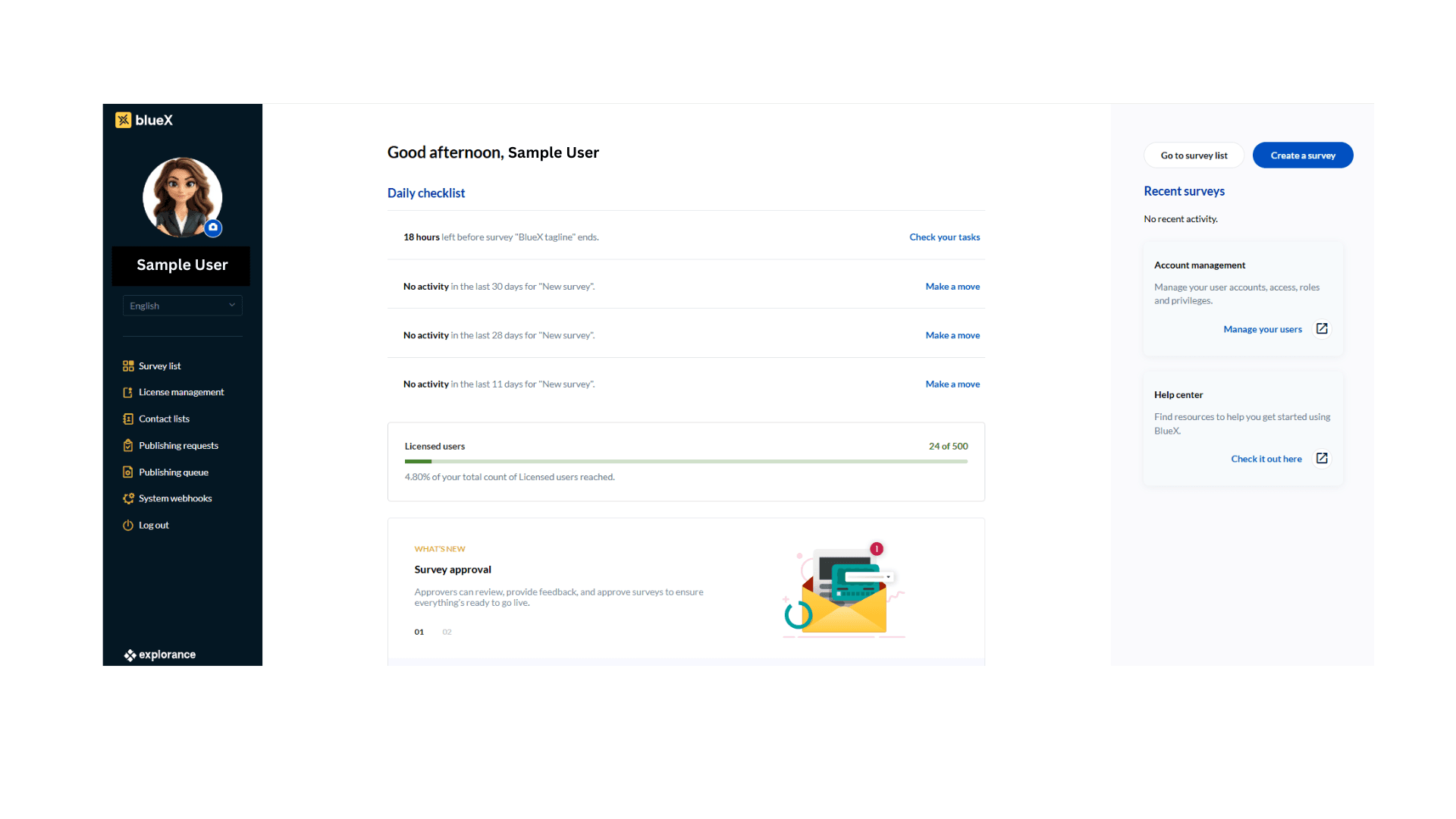
- On the left side of the homepage there are the following options:
- Survey list – A workspace wherein we can create surveys, customize, manage, and visualize its results.
- License management
- Contact lists – create and manage the contacts.
- Publishing requests – the list of requests to publish the survey
- Publishing queue - the list of surveys that are ready to be published
- System webhooks - Webhooks notify immediately if something happens with a BlueX survey, allowing you to run a process that exists in a third-party application that you manage. The data is then sent over the web (HTTP request) from BlueX to your application to interpret the data
- Log out - exit BlueX and safely end your session.
- In the center of the homepage there are the following options
- The Daily checklist displays the status of surveys and other items worth noting. In most cases, this list is empty before you create your very first survey.
- The What's New section contains announcements of upcoming features.
- In the right side of the homepage there are the following options
- Go to survey list will open a workspace where all surveys are displayed. You can also start working right away by selecting Create a survey.
- The Recent surveys section lists the surveys you have been working on most recently.
- The Account management block-administrators can manage all BlueX users and user groups here.
- BlueX tutorials section lists BlueX articles that will give new users a taste of how it all works.