Workspaces
Workspaces provide a structured way to organize, govern, and collaborate on surveys. They support individual and team work, as well as institutional collaboration, while maintaining consistent permissions, approvals, and auditability.
Overview
Workspaces introduce a unified organizational model for managing surveys. They ensure clear ownership, consistent governance, and transparency across personal and team environments.
There are two types of workspaces:
- Personal workspaces
- Team workspaces
Both support unlimited folder structures and clear visibility into where surveys live and which rules apply.
Personal workspaces
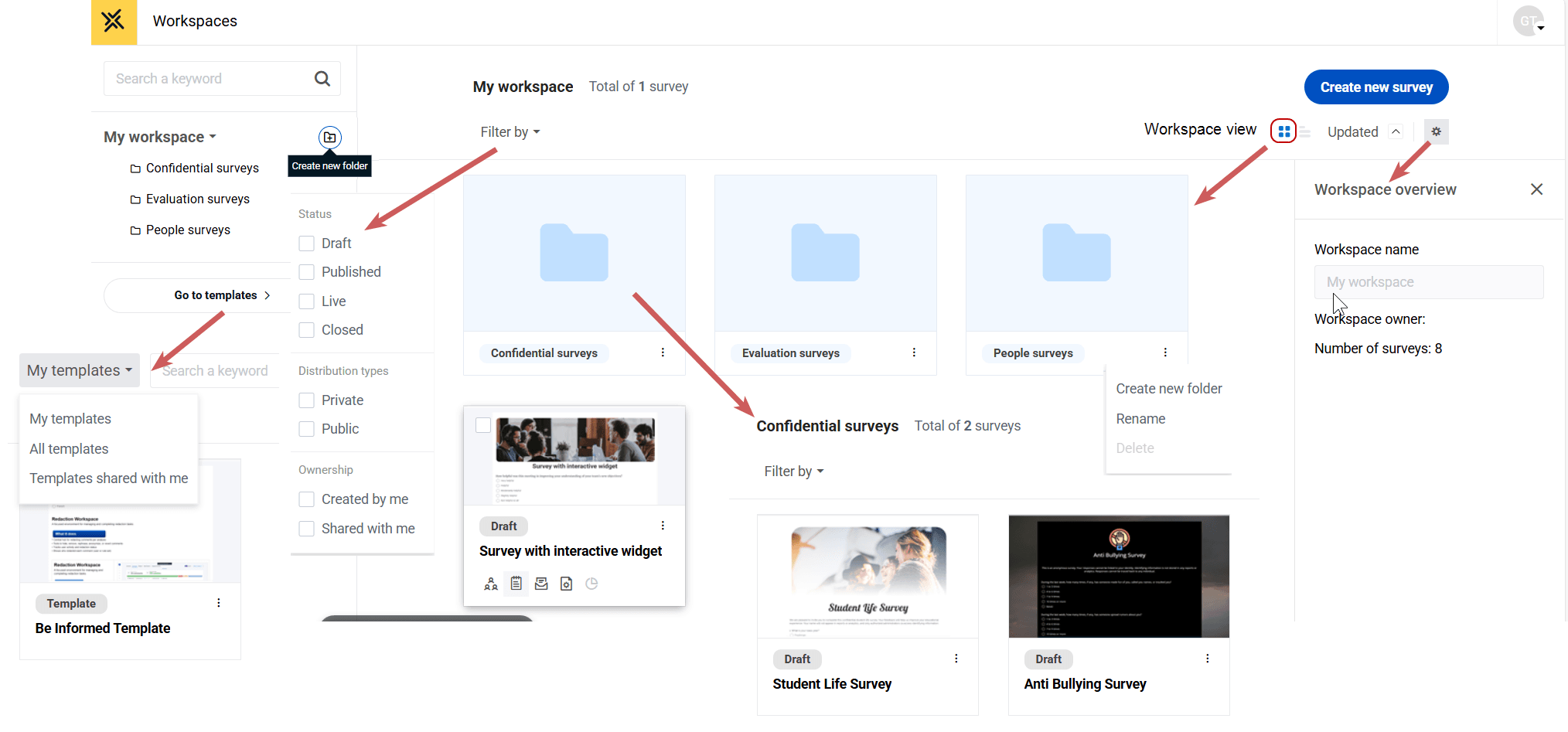
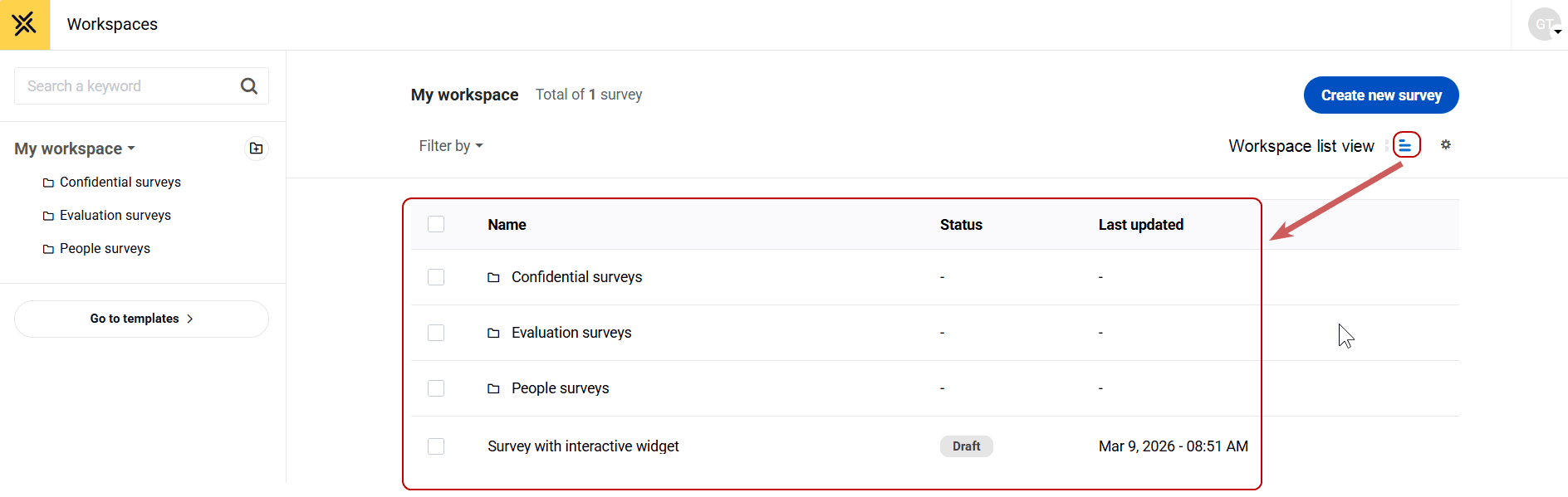
Every user has a personal workspace called My Workspace.
What you can do
- Create and manage your own surveys.
- Organize surveys using unlimited nested folders.
- Rename, delete, and reorder folders.
- Drag and drop surveys and folders.
- Move your own surveys into team workspaces.
- View metadata showing where each survey resides.
Moving surveys from a personal workspace
- Unpublished surveys can be moved freely.
- When a survey is moved, it becomes governed by the destination workspace.
Note: Published surveys cannot be moved into a team workspace.
Restrictions
- You cannot configure governance rules.
- You cannot automatically pull surveys into your personal workspace.
Team workspaces
Team workspaces represent departmental or institutional areas where teams collaborate on surveys.
Admin capabilities
Admins can:
- Create and rename team workspaces.
- Assign and remove members.
- Configure workspace-level permissions.
- Configure approval workflows.
- Delete team workspaces (after surveys are reassigned or removed).
- Move surveys into workspaces.
Restrictions
- Members cannot manage workspace membership.
- Members cannot change workspace permissions or approval workflows.
- Surveys cannot be moved out of a team workspace without approval.
Permission inheritance
When a survey is placed in a team workspace:
- Workspace permissions override all survey-level sharing settings.
- All workspace members automatically inherit access.
- Survey-level sharing controls become read-only.
The tooltip below is displayed to the user:
This survey’s permissions are inherited from its workspace.
Approval workflow inheritance
Team workspaces may enforce approval workflows.
When enabled:
- All surveys in the workspace automatically follow the workspace approval rules.
- Survey-level approval settings are disabled or hidden.
- Approvers, routing, notifications, and thresholds are inherited.
Publishing a survey from a governed workspace requires approval from workspace members, regardless of individual approval privileges.
Moving surveys into a team workspace
When you move a survey from a personal workspace into a team workspace, a confirmation modal is shown.
What the confirmation explains:
- Workspace permissions will override survey sharing.
- Workspace approval workflows will override survey workflows.
- The survey will become governed by workspace rules.
You can confirm or cancel the move. If confirmed, the survey inherits all workspace rules immediately.
Admins are notified when a survey is moved, including:
- Survey name
- User who initiated the move
- Previous location
- New workspace
Moving surveys out of a team workspace
To prevent governance bypass:
- Surveys cannot be moved out of a team workspace without approval.
- Admins can move surveys out immediately.
Additional approval flows for non-admin users are planned for future releases.
Folder structure
Both personal and team workspaces support unlimited folder depth.
You can:
- Create, rename, and delete folders.
- Drag and drop surveys and entire folder branches.
- Expand and collapse deep folder hierarchies.
- Navigate using adaptive breadcrumbs.
The system is designed to remain performant with large volumes of surveys and deeply nested structures.
Survey metadata and visibility
Each survey stores workspace-related metadata, including:
- Workspace name and type (personal or team)
- Whether permissions are inherited
- Whether approval workflows are inherited
This metadata is visible in:
- Survey lists
- Survey settings
- The survey editor
- Audit logs and exports
A visual badge indicates when a survey is governed by a workspace.
Audit and governance
All key actions are logged, including:
- Survey creation and deletion
- Survey movement between workspaces
- Permission and approval inheritance changes
- Approval decisions
- Workspace membership changes
- Folder operations
Each log entry includes the actor, timestamp, previous and new values, and context.