License management
Monitor MLY analysis quota consumption
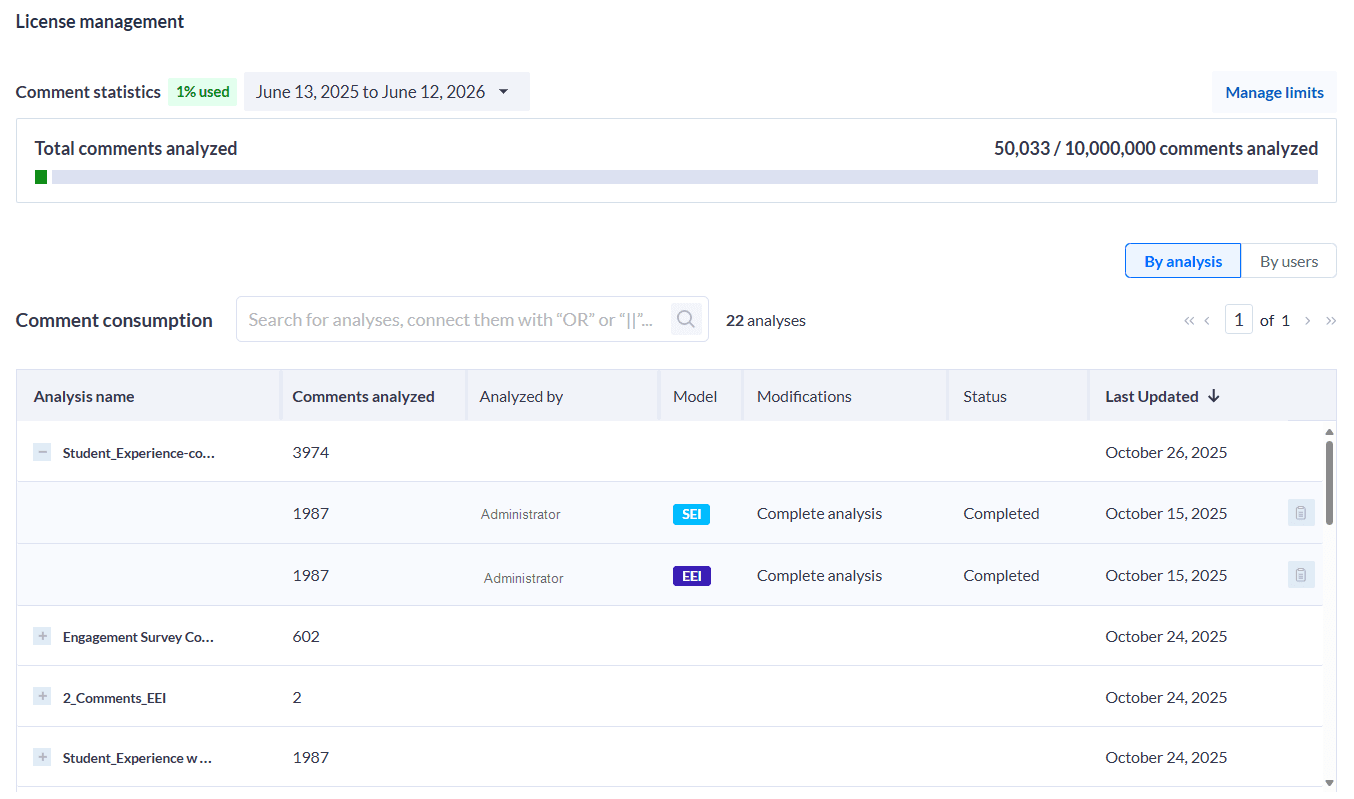
Admins can monitor how MLY analysis quota is consumed across users and analyses. The quota consumption dashboard offers full visibility into usage, helping teams manage analysis limits and resources efficiently.
Key Capabilities
- Track Quota Usage: View how much quota each analysis run consumed.
- Breakdowns: See usage by Analysis or User.
- Sortable Columns: Sort by Name, Quota Consumed, or Last Run Date (default).
- Transparency: Distinguish between actions that impact quota and those that don’t. For example:
- Reanalyzing with the same model family → No additional quota used
- Reanalyzing with a different model family → Quota consumed
- Search: Quickly find analyses or users.
- Status Visibility: Identify whether an analysis was completed, failed, or deleted.
Access
Navigate to License Management → Quota Consumption. Only admins have access.
View logs
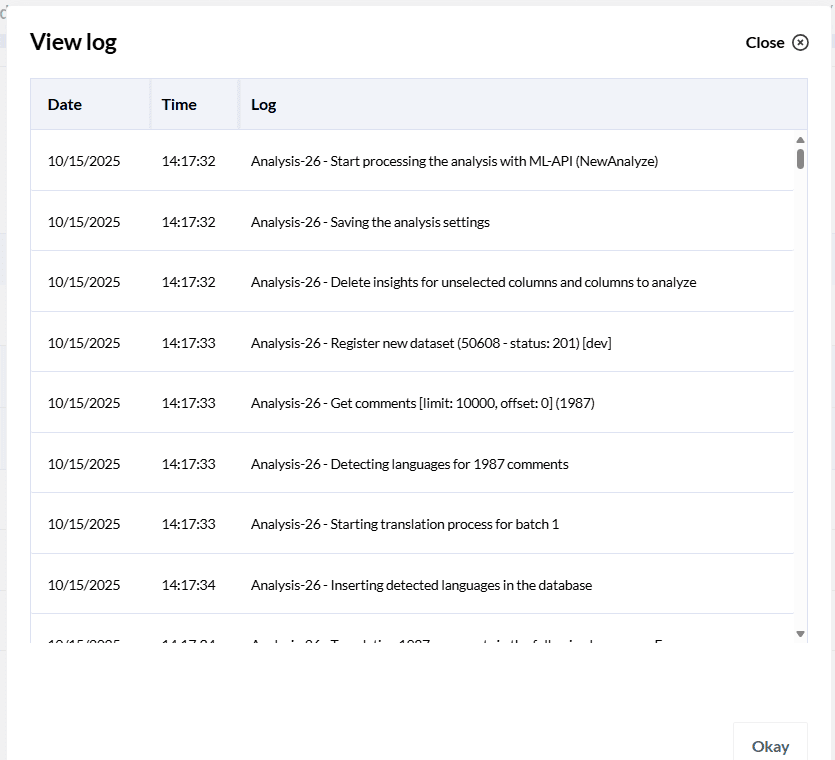
Logs are available to help show what happened during each analysis making it easier to find and fix problems.
Manage your MLY license
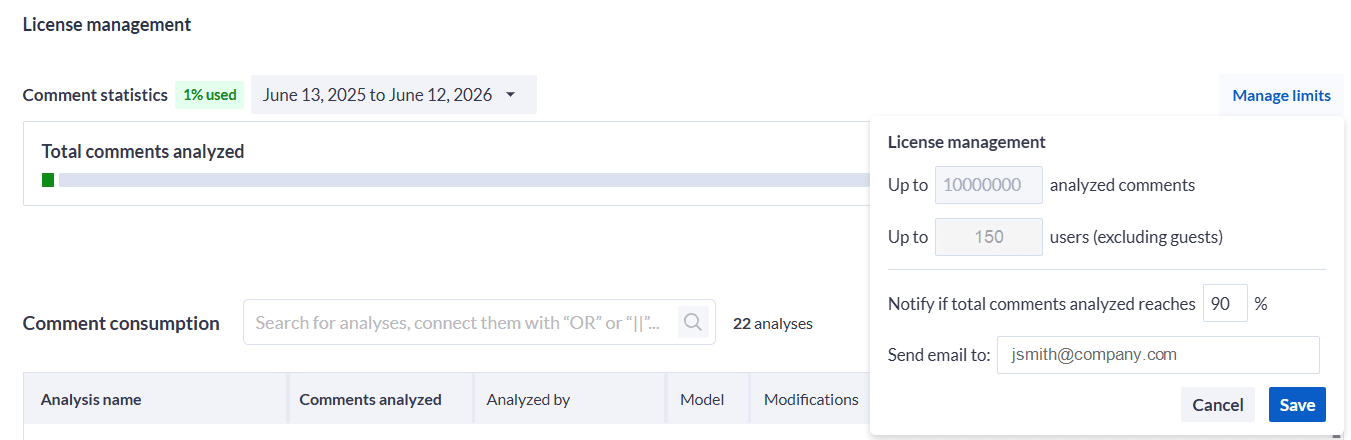
- Click Manage to view your license details.
- Check:
- The number of comments that can be analyzed.
- The total number of users allowed (excluding Guests).
- In the Notification Threshold field, enter a percentage (e.g., 90%) to set when you want MLY to alert you as you approach your comment limit.
- Enter the email address of the person who should receive this alert.
- If you make any changes, click Save to apply your updates.
Use Case
- Use this dashboard to track team analysis activity, identify heavy usage patterns, and optimize quota allocation per license period.
NOTE
When you start using MLY and you plan to analyze some of your feedback data to familiarize yourself with the features, please note that Explorance counts all analyzed comments and applies them to the total limit of analyzed comments allowed in your license for that time period.