Multilingual support
French user interface (UI)
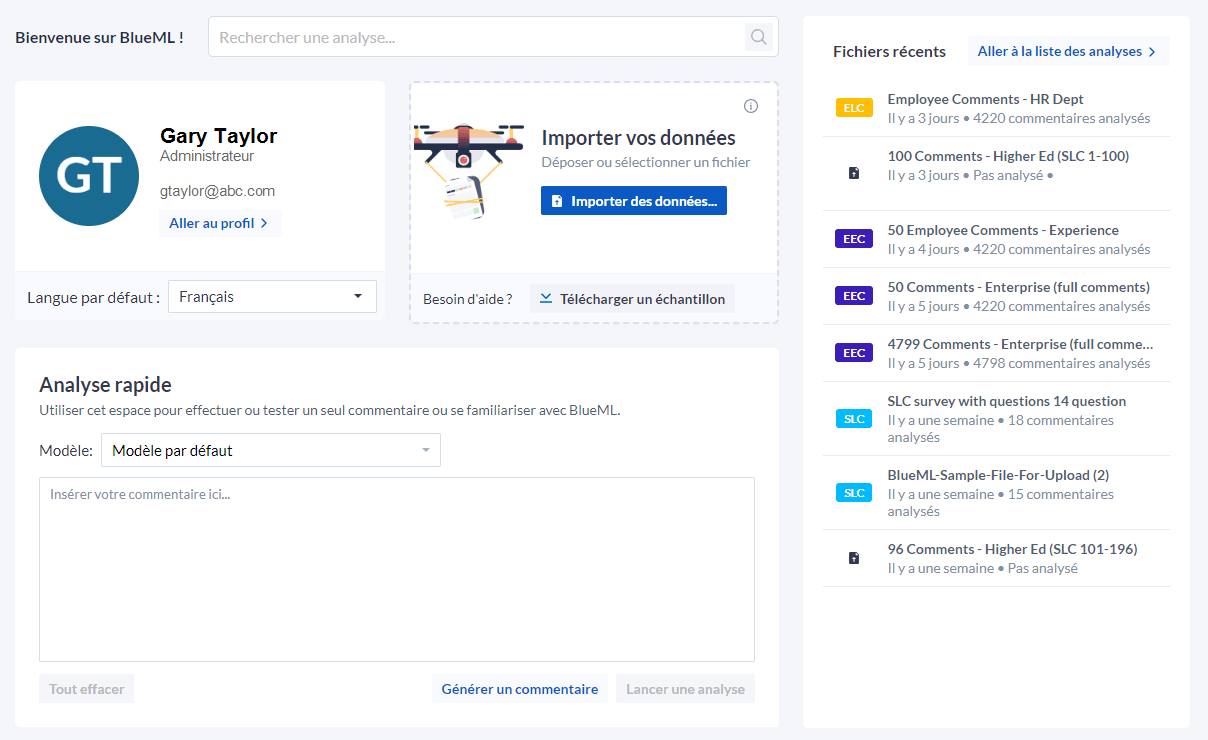
French speaking users can select the French UI as their dashboard language to analyze their comments more easily and review the results in their preferred language.
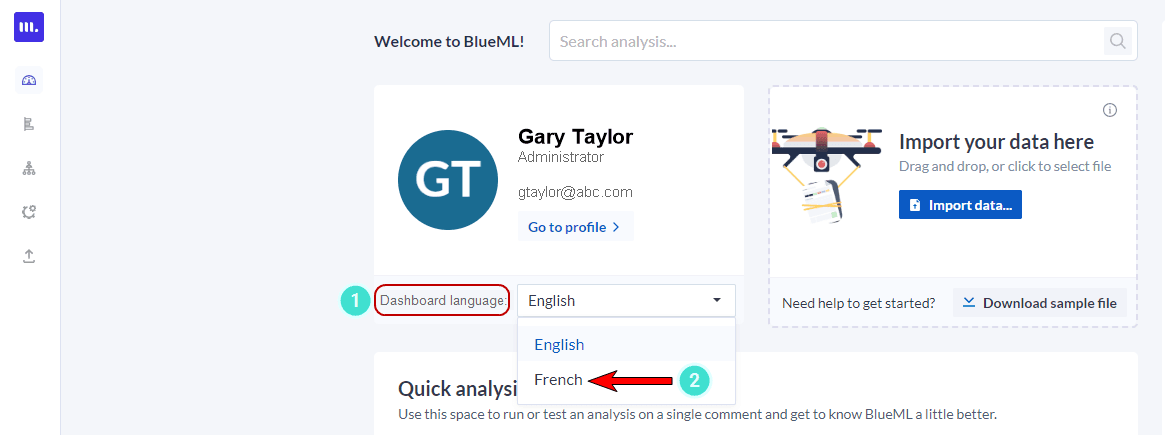
To access the French user interface
- Navigate to the MLY homepage and click on the Language drop-down menu.
- Select the French option.
Multilingual comment translation
MLY supports the automatic translation of comments submitted in multiple languages, making the results more comprehensible and accessible to a global audience. This feature is a supplemental value-add licensable module (for a fee) that, when installed, works behind the scenes detecting comments in languages other than English and providing the translation during the analysis of the data. The translated comments are included in the analysis in both English and the original language.
Sample comment translated from French into English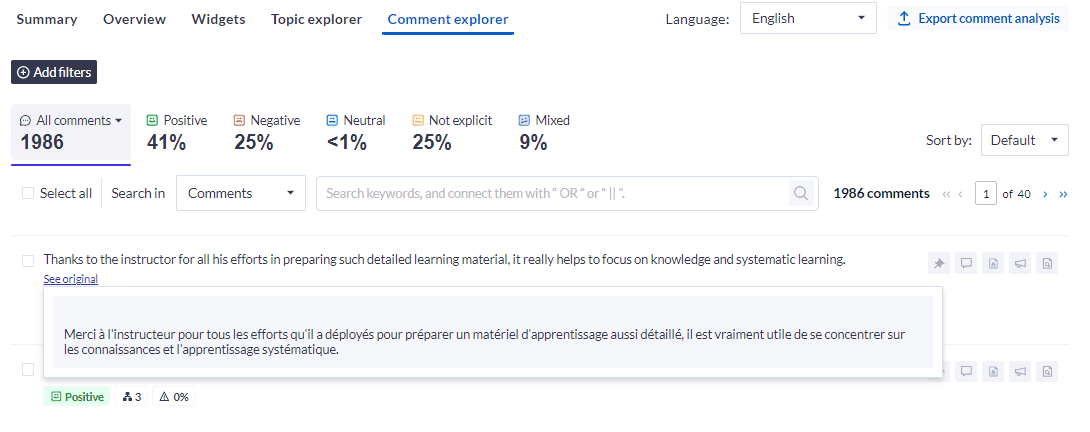
Comment translation is available for the following 33 languages:
| Supported languages | ||
|---|---|---|
| Arabic | French | Polish |
| Bulgarian | German | Portuguese |
| Chinese (simplified) | Greek | Portuguese (Brazilian) |
| Chinese (traditional) | Hungarian | Romanian |
| Czech | Indonesian | Russian |
| Danish | Italian | Slovak |
| Dutch | Japanese | Slovenian |
| English (American) | Korean | Spanish |
| English (British) | Latvian | Swedish |
| Estonian | Lithuanian | Turkish |
| Finnish | Norwegian Bokmål | Ukrainian |
Contact Explorance support for more information about adding languages to your MLY environment.