Remove a dataset before the comments are analyzed
What to do if you want to remove a dataset from MLY
- If you are uploading additional data for an existing analysis or you clicked Next in the Data Preview screen which saved your data in a new analysis - Contact Explorance support.
- If you are uploading data that has not been saved for a new analysis, follow the instructions below.
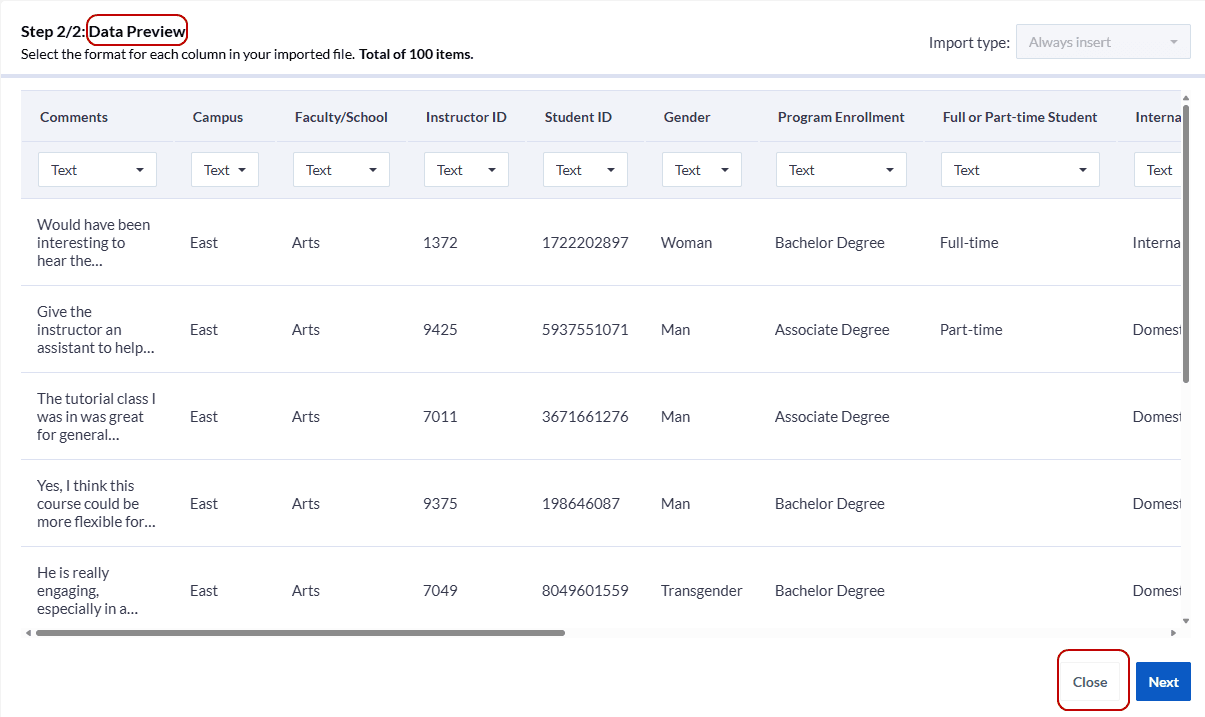
Step 1: From the Data Preview screen, click the Close button at the bottom right of the screen.
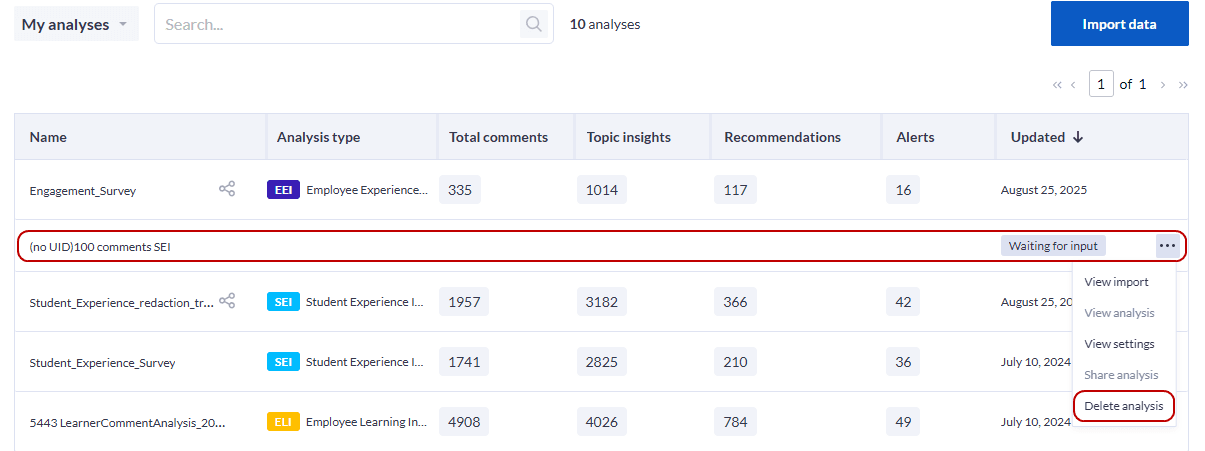
Step 2: This will bring you back to the My analyses screen showing your dataset has not yet been analyzed and is Waiting for input. From the drop-down menu, select Delete analysis to remove your dataset.
Please note that since you did not analyze your comments, no quota is applied and you can start the process again once you reload a modified version of your dataset.
For additional assistance: Contact Explorance Support.