Course Owner Dashboard
Overview
Introduction to the Course Owner Dashboard
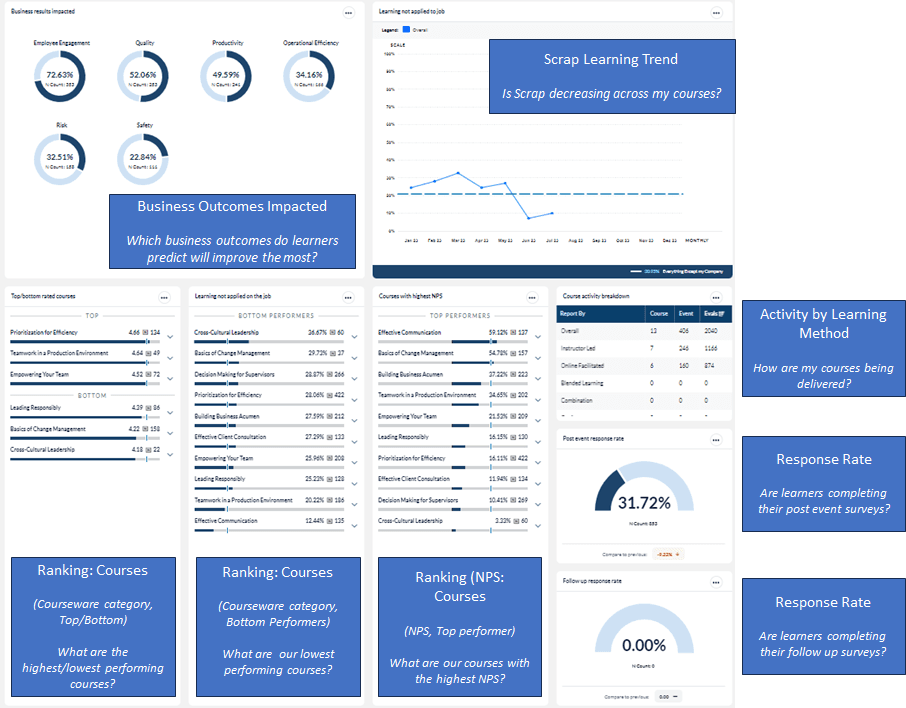
This dashboard provides insights into key metrics, top and bottom rated courses, classes, and instructors during a selected time period, areas of success and drivers behind performance gaps. Using this template can help you answer questions such as:
- Which business outcomes do learners predict will improve the most?
- Is scrap learning across courses increasing or decreasing?
- Are courses being delivered?
- Are learners completing their post event surveys?
- Are learners completing their follow up surveys?
- What are our courses with the highest NPS scores?
- What are our highest / lowest performing courses?
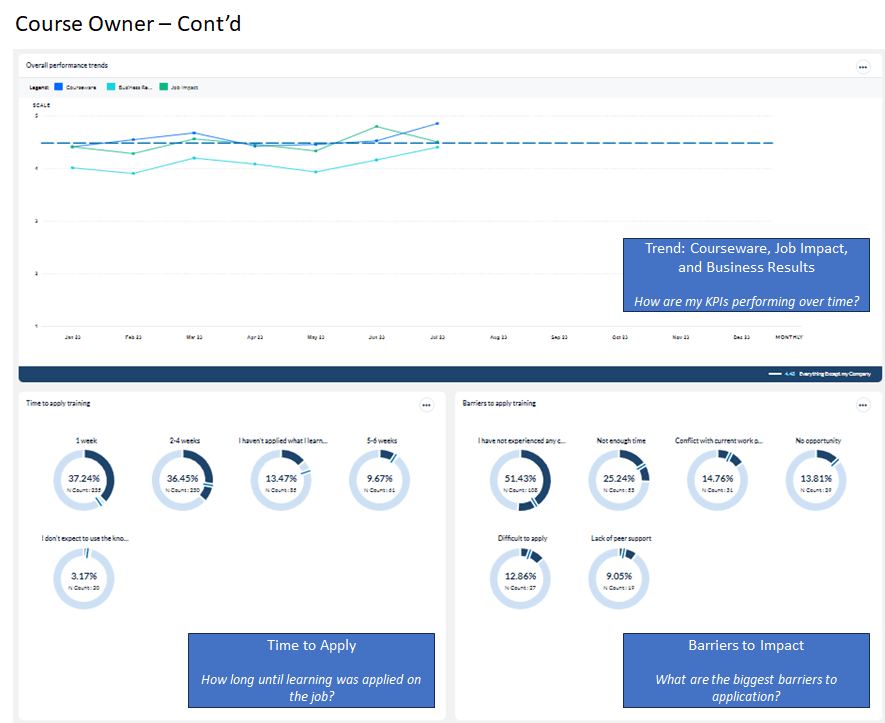
- How are my courses performing against KPIs over time?
- How long until learning was applied on the job?
- What are the biggest barriers to applying learning?
The following screenshots display the widgets included in this dashboard template and the questions that can provide insights into the data that is presented:
To learn more about configuring and interpreting dashboard widgets, consult the Dashboard widget guide.
Dashboard template setup details
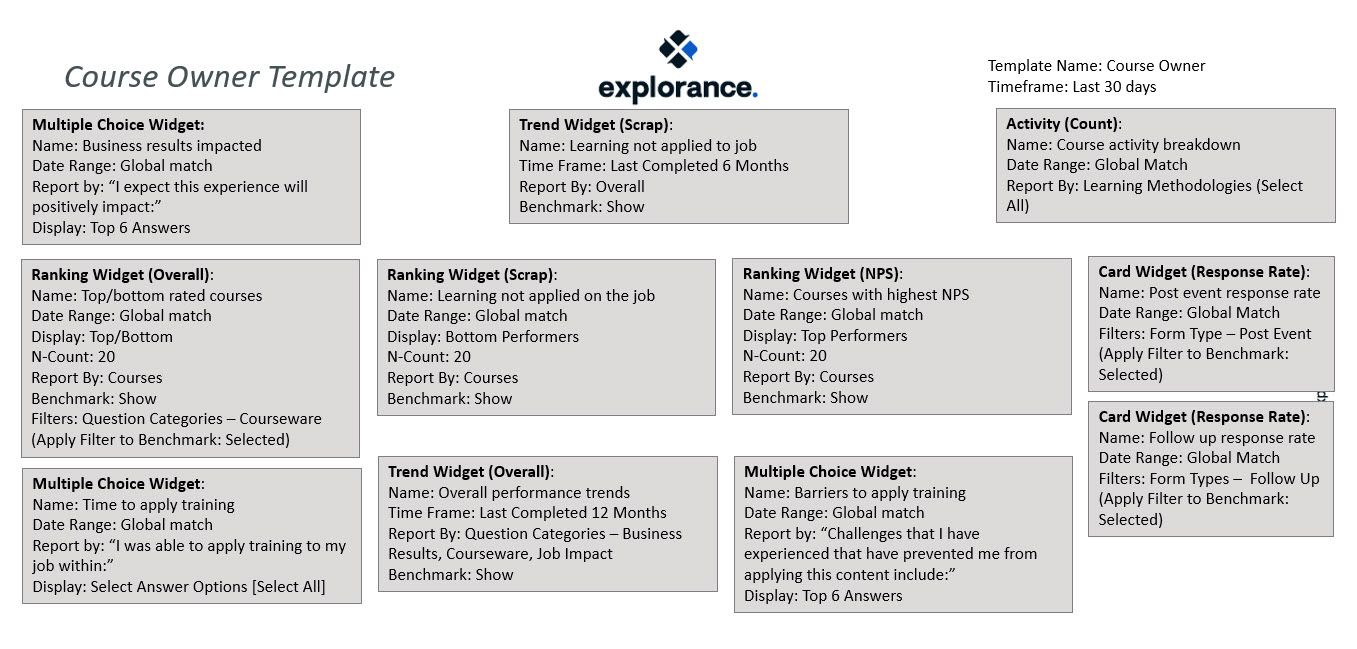
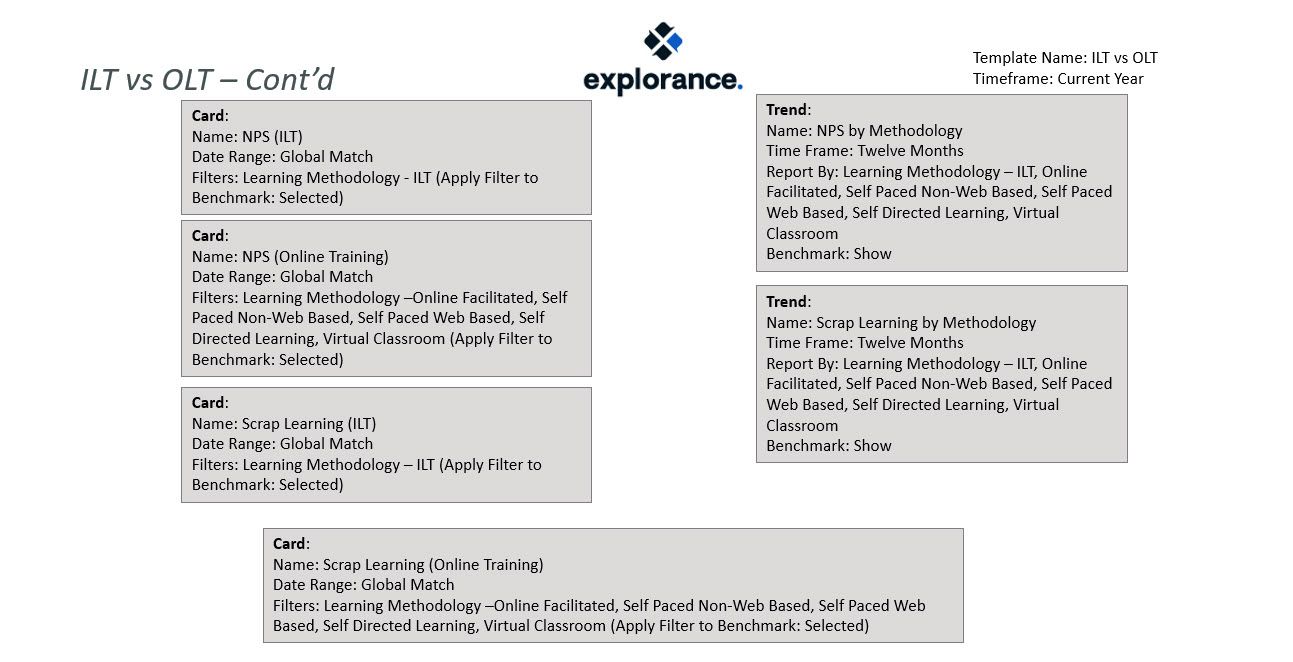
The following screenshots show the initial setup of the L&D / Operations template shown above.
Dashboard Administrators should add appropriate benchmarks to each widget on the dashboard and share the template with other user involved in the course design and performance process.