Instructor Dashboard
Overview
Introduction to the Instructor Dashboard
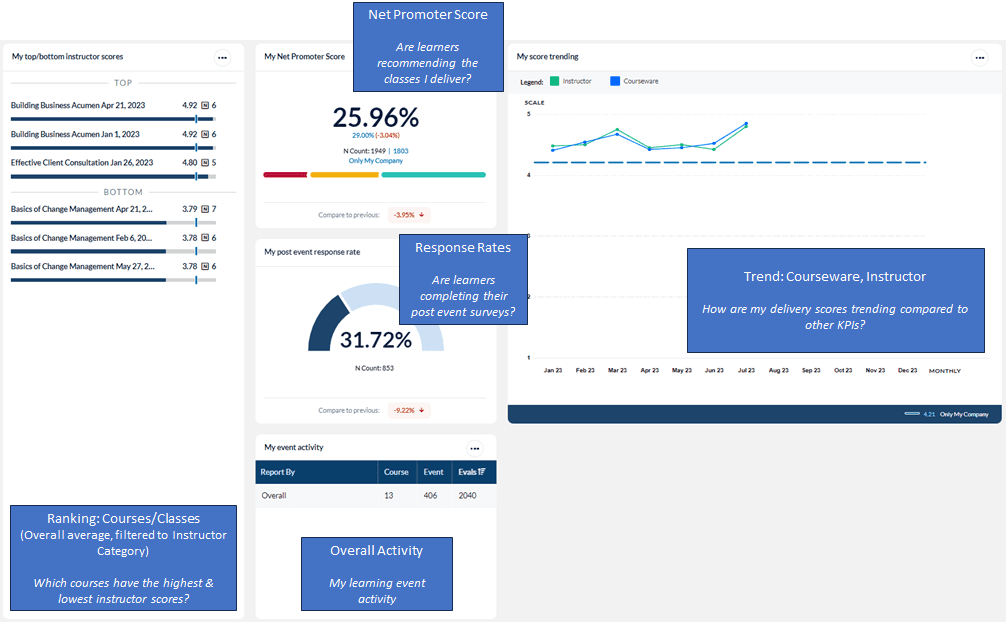
This dashboard provides the overall instructor rating and instructor questions (e.g. Courseware, Instructor, and Environment) compared to a benchmark.All learner comments for the standard question categories are also included. Monitoring these metrics will help answer questions such as:
- Are learners recommending the classes / deliver?
- Are learners completing their post event surveys?
- Which courses have the highest and lowest instructor scores?
- What is my learning event activity?
- How are my delivery scores trending compared to other KPIs?
The following screenshot displays the widgets included in this dashboard template and the questions that can provide insights into the data that is presented:
To learn more about configuring and interpreting dashboard widgets, consult the Dashboard widget guide.
Dashboard template setup details
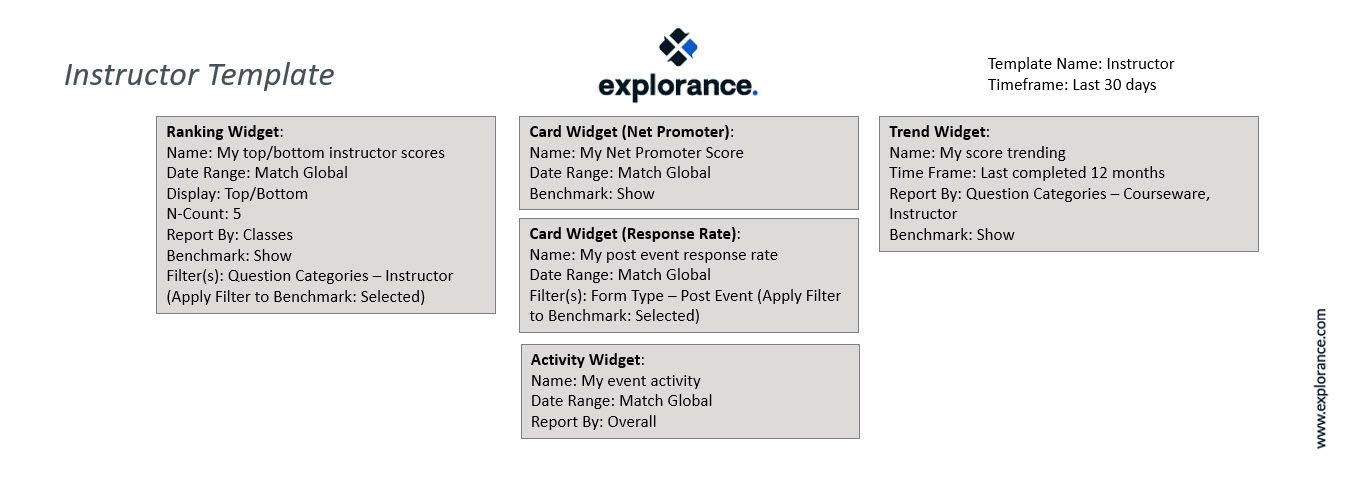
The following screenshot show the initial setup of the Instructor dashboard template shown above.
Dashboard Administrators should add appropriate benchmarks to each widget on the dashboard and share the template to individuals who need a dashboard that will provide an easy summary view (executives, or this dashboard can be an additional template to share with Course Owners to make it easy for them to complete course-specific summary reporting)
Recipients should be directed to copy the shared dashboard and give it a unique name for their own use. If appropriate, they may then apply global filters so that the data on the dashboard is filtered to their area of interest.