Instructor Manager Dashboard
Overview
Introduction to the Instructor Manager dashboard
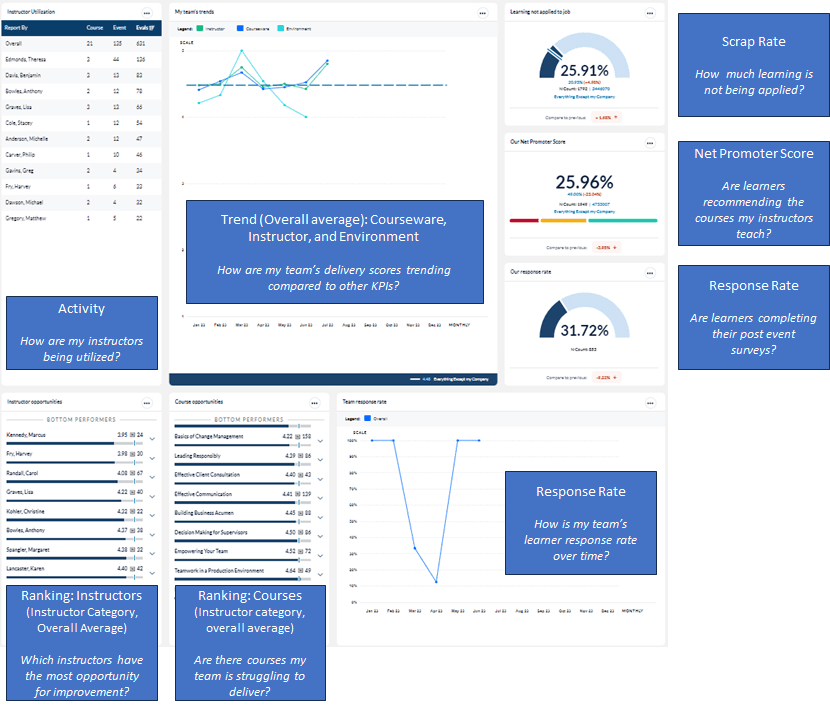
This dashboard provides Instructor Managers insights into Instructor performance over a selected period of time. The Instructor Performance dashboard contains widgets displaying three outputs:• Instructor Performance by Class (individual Instructor report)• Instructor Performance by Course (individual Instructor report)• Instructor Performance Summary (summary of performance for selected instructors). Monitoring these metrics will help answer questions such as:
- How are my instructors being utilized?
- Which instructors have the most opportunity for improvement?
- Are there courses my team is struggling to deliver?
- How is my team’s learner response rate over time?
- Are learners completing their post event surveys?
- Are learners recommending the courses my instructors teach?
- How much learning is not being applied?
The following screenshot displays the widgets included in this dashboard template and the questions that can provide insights into the data that is presented:
To learn more about configuring and interpreting dashboard widgets, consult the Dashboard widget guide.
Dashboard template setup details
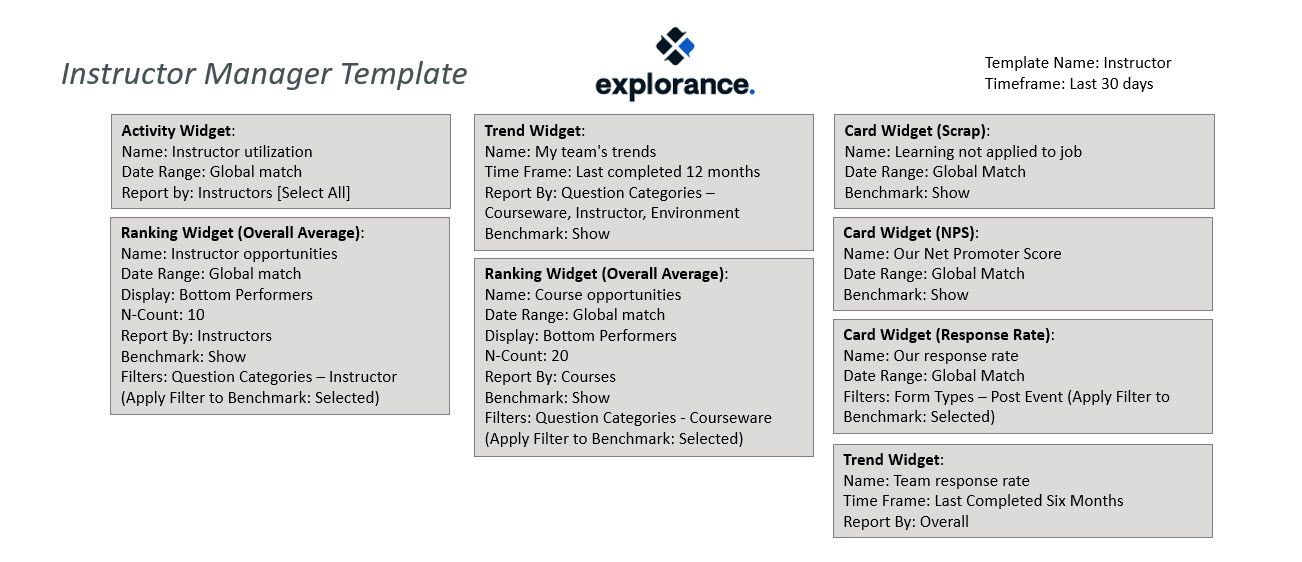
The following screenshot show the initial setup of the Instructor manager dashboard template shown above.
Dashboard Administrators should add appropriate benchmarks to each widget on the dashboard and share the template with each Instructor Manager
Instructor Managers should be directed to copy the shared dashboard and give it a name of their choosing. They should then apply a global filter of Instructor Manager and select themselves so that the data on the dashboard is filtered to their own team.