Global presets, color sets, and highlight sets
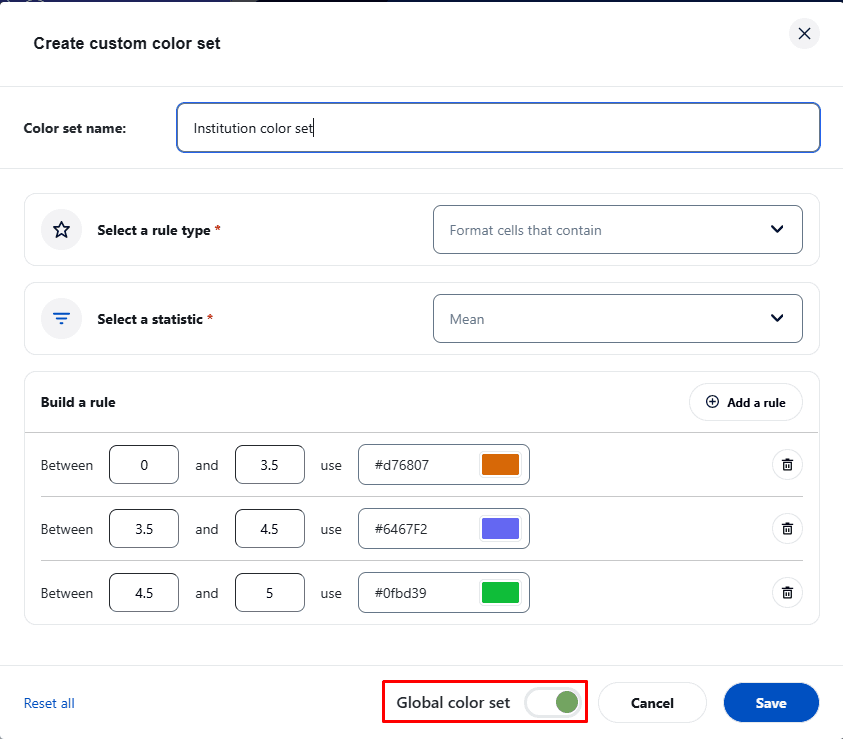
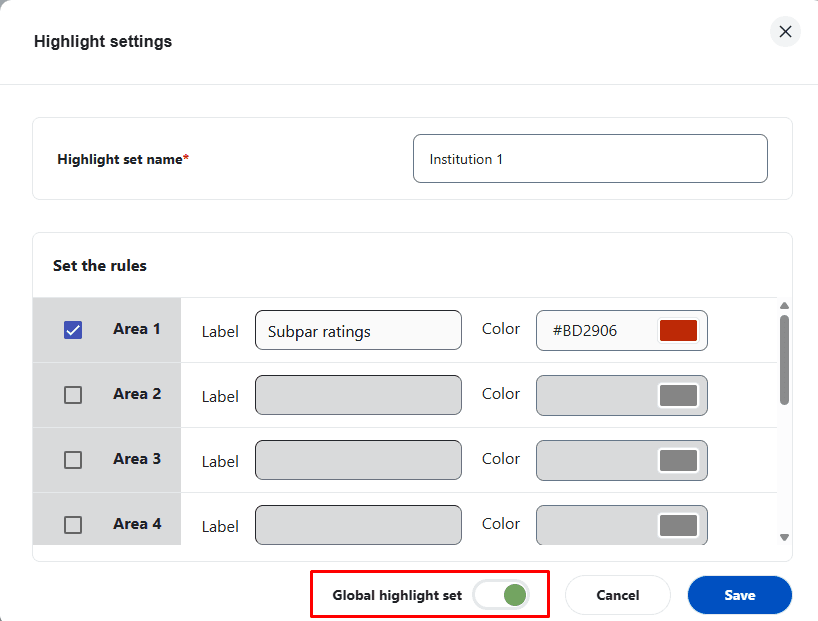
To help dashboard end users quickly take advantage of the filters and comparison capabilities of the Blue Dashboard, the administrator can define dynamic filters or comparisons and save them as global presets. Similar functionality is also available for global color sets for the list view heat map and the highlight sets of the scatter plot chart.
For more information on statistics and how they are calculated in the dashboard, consult Dashboard options.
- Global presets are only available for the individual dashboard.
- Only administrators can add or remove global presets, global color sets, and global highlight sets
Create global presets
Global presets can only be created by administrators when they impersonate end users to see their dashboard through Administrator access.
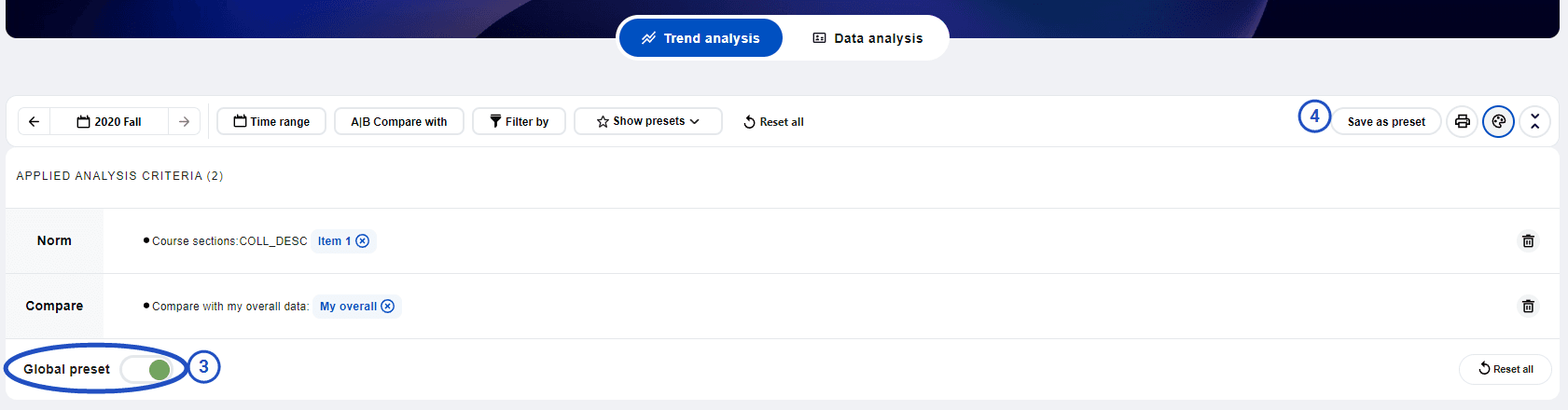
- Impersonate an end user via Administrator access.
- Create a standard filter or comparison.
- Toggle on the Global preset.
- Save as preset. This will be saved as a global preset available to all individual dashboard users.
- Toggle off the Global preset.
When a global preset is enabled, the specific values for the selected filters are not stored in the filter itself. Instead, the filter stores the index of the value. This is because the global preset dynamically adjusts values for each dashboard user based on the data available to them.
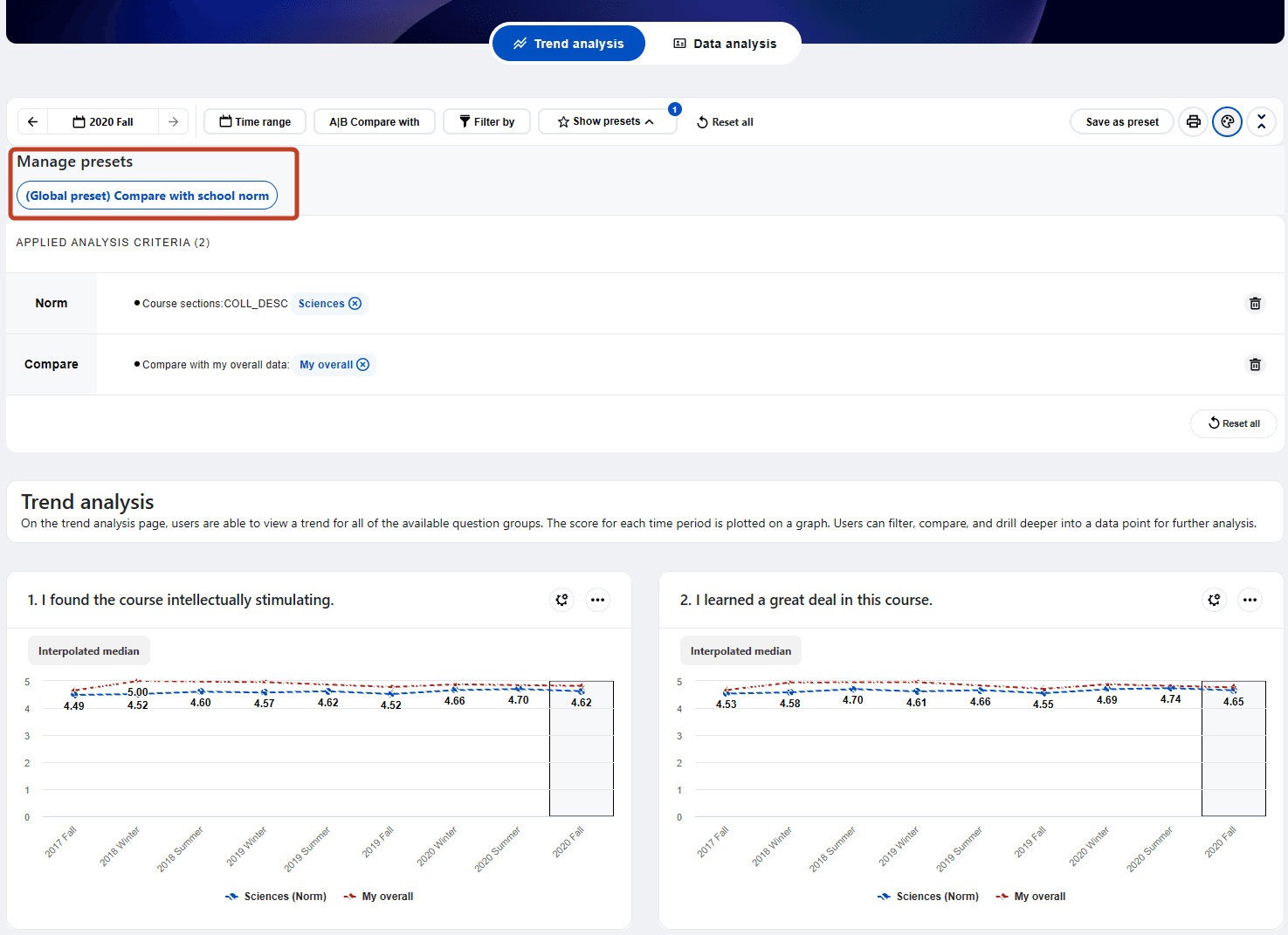
Since global presets do not store actual values, they are more suitable for situations where the dashboard user is likely to have only one value for a particular demographic. For example, a global preset can be created to compare a user’s overall score with a school’s norm, as a user will typically belong to only one school. In cases where a user belongs to more than one school, as shown in Figure 2, only the first school will be used for comparison.
If a user has more than one value for a specific demographic field, the global preset for that field can still work, but only if the user has the exact same number of values that the global preset was configured with. Otherwise, the global preset will be disabled for that user.
Create global color set and highlight set
Available for use with the scatter plot chart within the data analysis section of the individual dashboard, the global color sets and highlight sets can be created by administrators similarly to how global presets are created. Global color sets or highlight sets can only be created by administrators when they impersonate end users to see their dashboard through Administrator access. Administrators just need to enable the global color set switch or highlight set switch when creating a regular color set or highlight set.
Global color sets and highlight sets are available for the following statistics:
- Mean
- Median
- Interpolated median
- % favorable