Question groups
A Question group is a group of Dashboard Questions that focus on a single central teaching competency. The data can be spread across a number of projects, over a period of time, and among various courses, but ultimately the resulting data is presented together to provide valuable insights.
NOTE
Before creating a Question group, Dashboard Questions must have already been created. See the following article for reference: Dashboard questions
Once Dashboard Questions have been created, they need to be assigned to a Question group.
- Select Create Question group to create a new Question group that Dashboard Questions can be added to.
- Enter a name for the Question group in the dialog that appears and select OK.
- Select Add Dashboard Questions within the Question group to form a relationship between the two items.
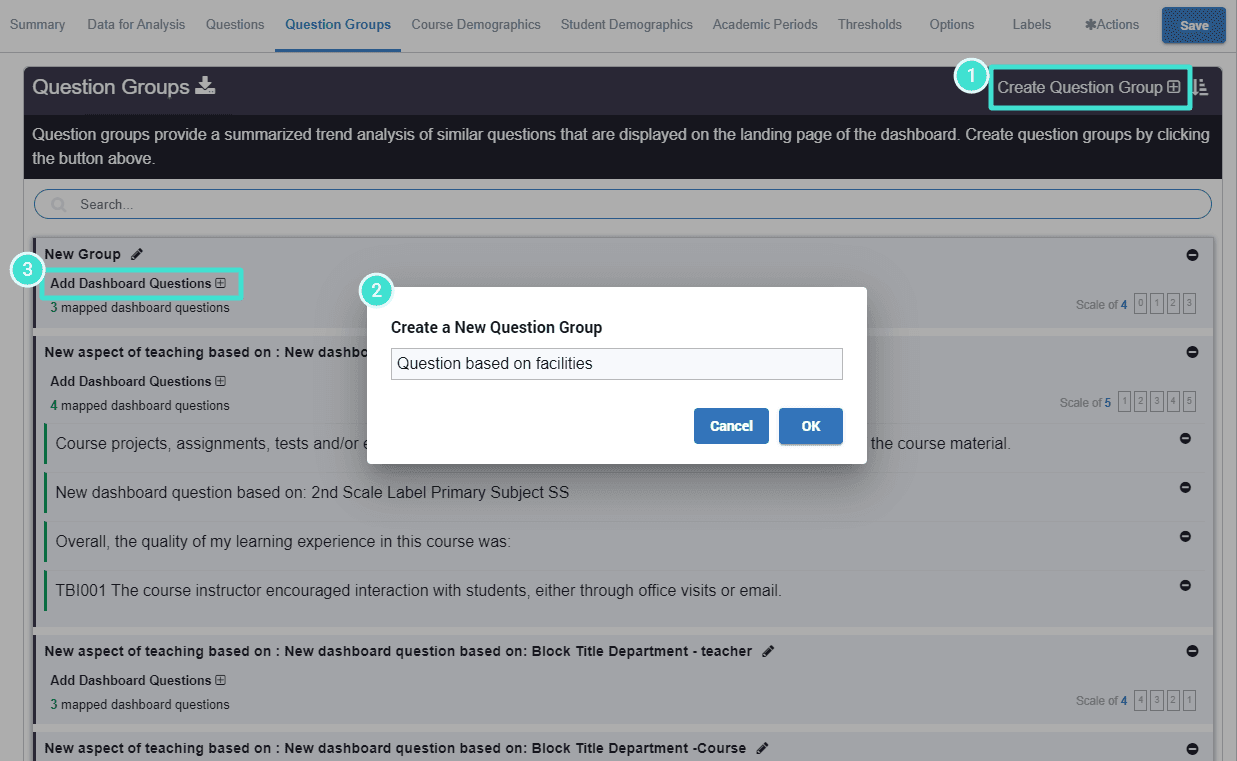
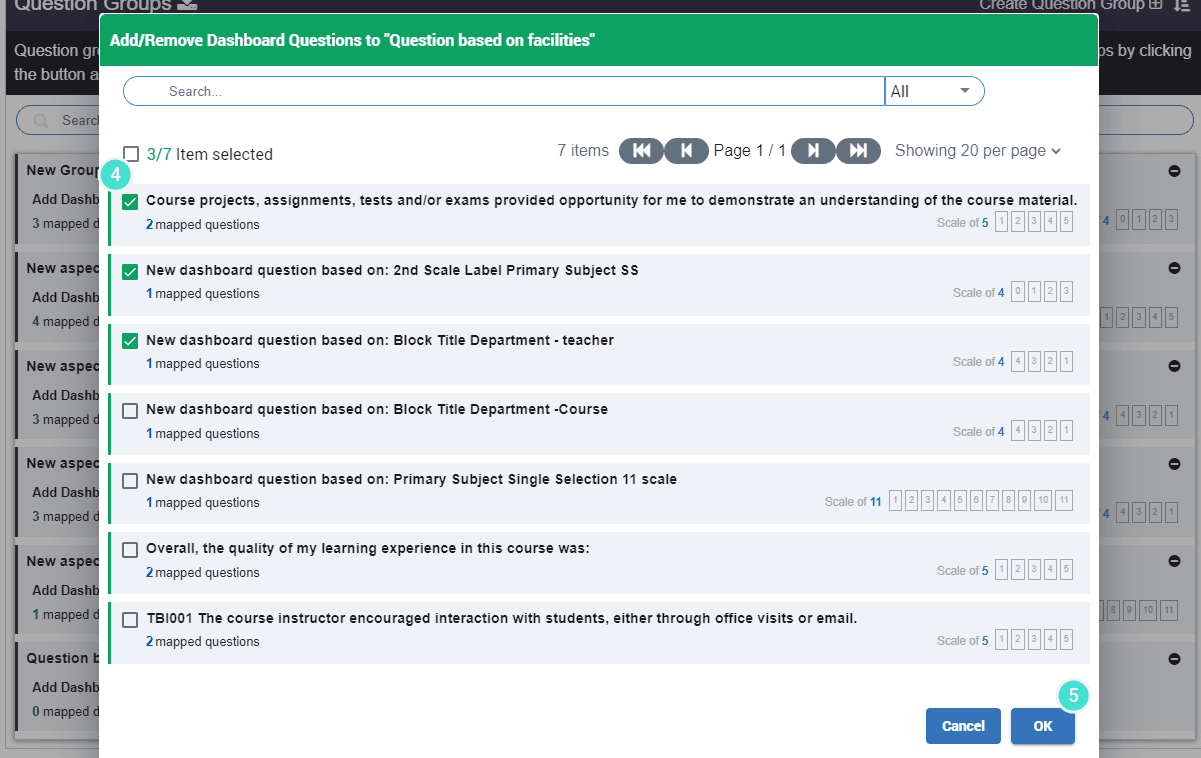
- Select the necessary Dashboard Questions in the Add/Remove Dashboard Questions window that opens.
- Select OK to confirm your selection.
TIPS
- Edit the name of a Question group by clicking the (pencil) icon.
- Remove Question group by clicking the (-) symbol.
- Under a Question group, click on # mapped Dashboard Questions to view the dashboard questions included in that Question group.
- Under a Dashboard Question, click on # mapped questions to view the Blue questions included in the DQ.
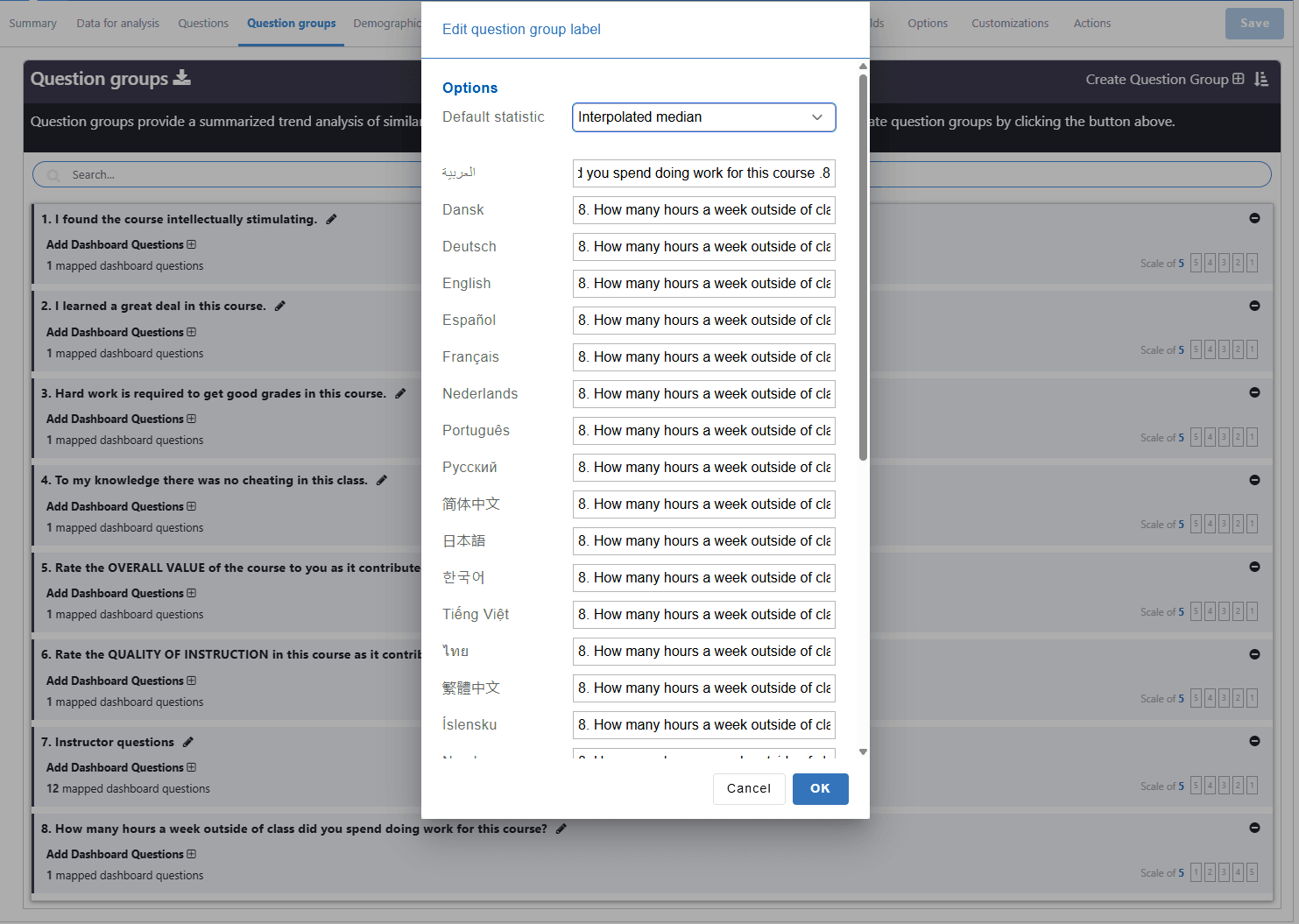
Multilingual captions and default statistics for a question group
- After the question group has been created the admin can provide multilingual text for the question group title.
- The administrator can choose the default statistics for this question group. If it is left empty the question group will use the system default statistics. (this setting only impacts the trend view page).