Add a response sheet type report block
THINGS TO KNOW ABOUT THE RESPONSE SHEET REPORT BLOCK
- Questionnaire piping is supported in Response Sheet blocks
- Virtual questions are not supported in Response Sheet blocks
- Breakdown by Rater group element is required for Response Sheet blocks
- Response Sheet blocks are not available for Confidential projects (flexible and strict)
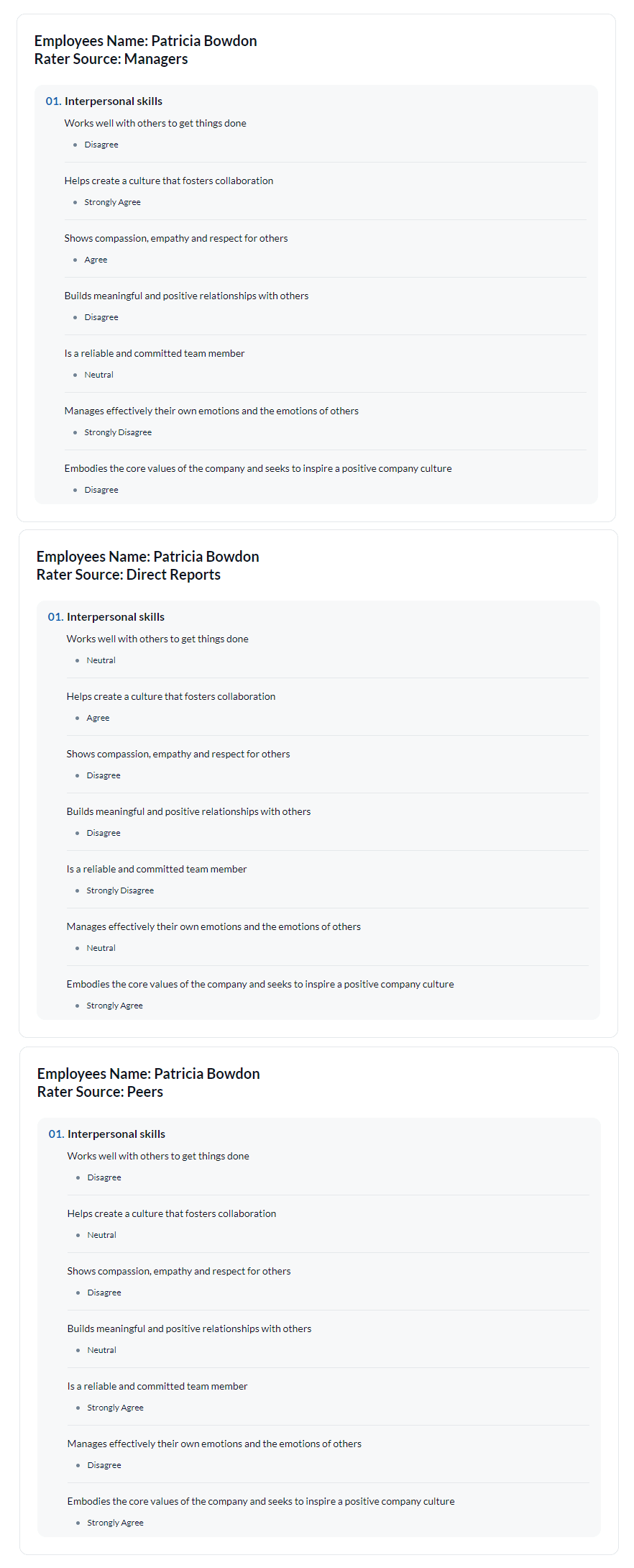
A Response Sheet report block generates a report that displays each raters' responses to a survey. The results are not cross tabulated or summarized. The following section details the steps necessary to create a response sheet block for your report.
Add a response sheet report block
- Navigate to the Content - Blocks for your report.
- Select Response Sheet from the drop-down and click Add Report Block.
- Decide which questions to include or exclude from the Response Sheet and configure the available display settings.
- Click Add to List when you have finished your question selection.
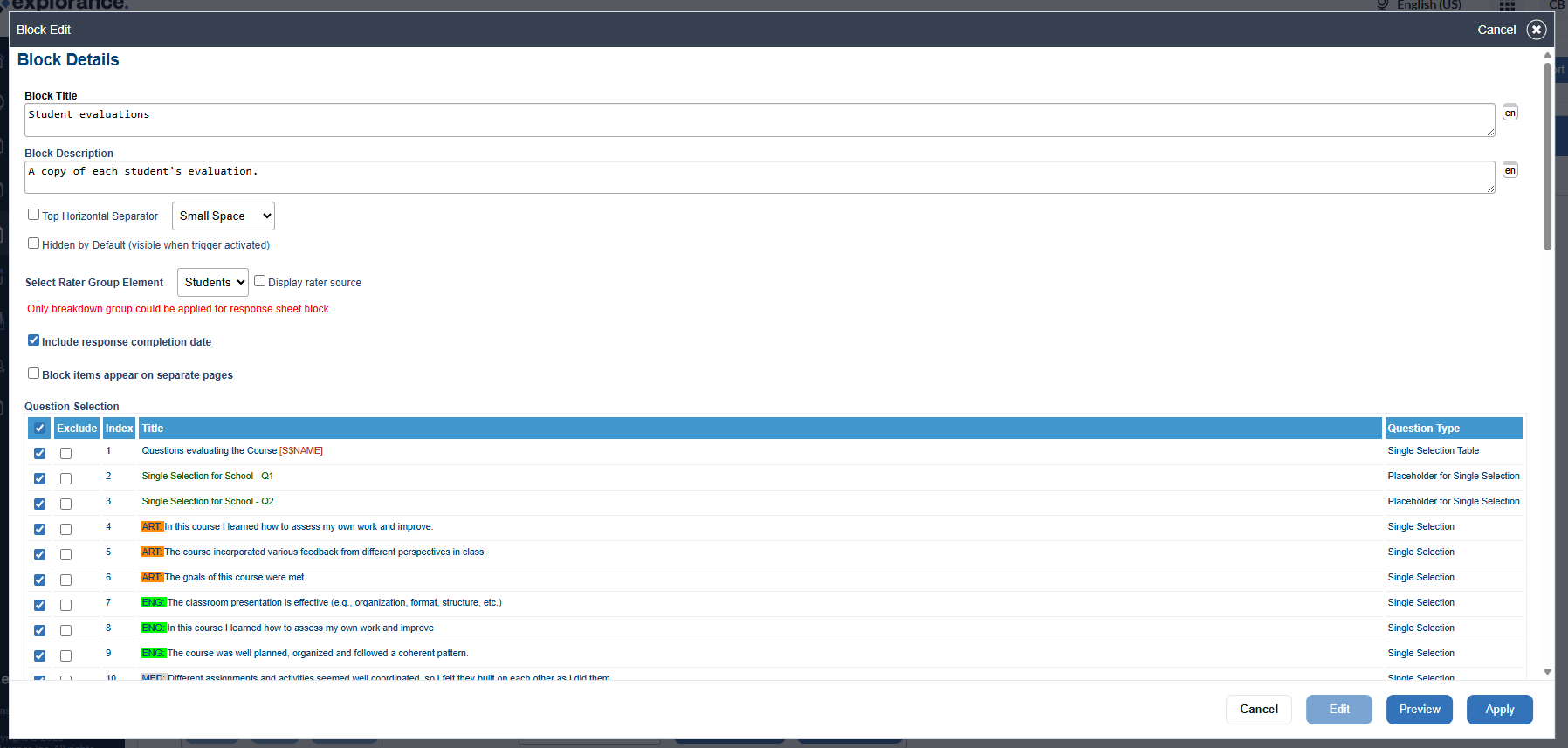
Display settings available:
- Block Title - (required) (not displayed on the actual report) Used as identification in the report block listing.
- Block Description - (not displayed on the actual report) Provide additional information about the block.
- Top Horizontal Separator - The horizontal separator is a gap between this report block and the previous block. Select the size of the separator: a small/medium/large (blank) space or a thin solid line.
- Hidden by default - When enabled this block will be hidden by default and will only appear in a report based on trigger conditions.
- Select Rater Group Element - Select which of the breakdown by rater groups group element to use in the Response Sheet block.
- Display rater source - Enable the display rater source option to display the rater group that the rater is a member of.
- Include response completion date - Adds the date that the evaluation was submitted to the response sheet. In certain instances, this information is required by law.
- Block items appear on separate pages - The report block will start on a clean page.
- Question Selection - Choose the questions to include.
- Projects Included - (only available if using project mapping) Merge or compare multiple project results for the selected block.
Related Articles
InManage data
InAdd a question report block
InManage data
InManage data
InResponses
InResponses
InFundamentals of Blue projects