Create global groups
A global group is a special type of group whose members, sometimes referred to as global task owners, have access to all subjects in a project.
THINGS TO KNOW ABOUT GLOBAL GROUPS
- Global groups are optional, not every project will have one.
- Global group members (i.e. "global task owners") are assigned to all subjects.
- Subjects are automatically updated as global group membership changes.
- Members can only be added to a global group in Projects - Members - Global Selection.
- Global groups cannot be exported or imported using Projects - Members - Export/Import.
- Global group membership is project specific.
- Global groups do not appear in the select group drop-down list in Projects - Members - Edit Members - Selected Members.
- Global groups do not appear in the select group drop-down list in Projects - Members - Subject Members.
- Global groups are limited to 50 members (the fewer the better).
Add people to a global group
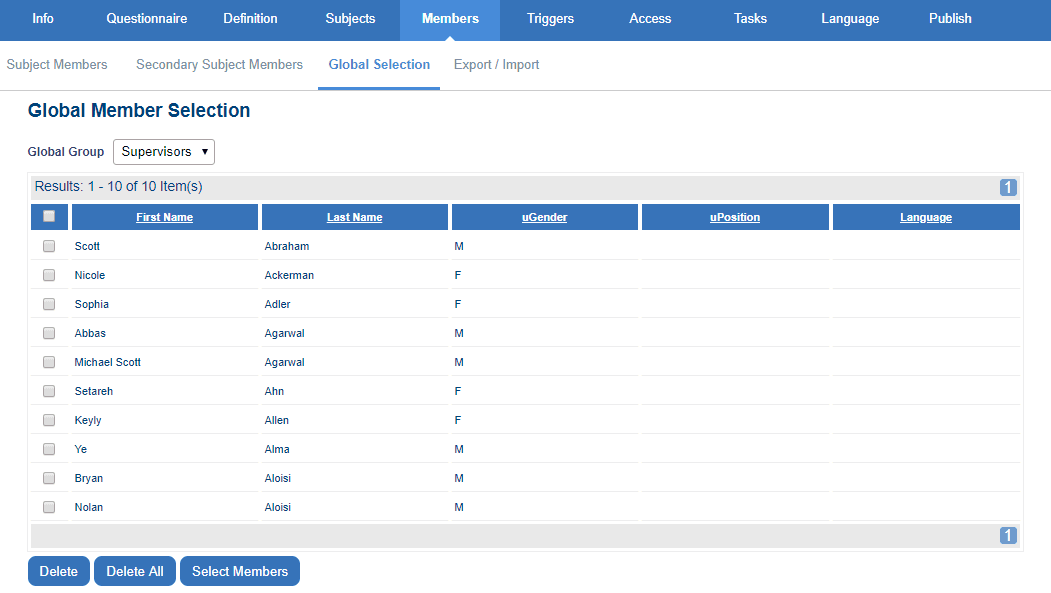
- Navigate to Projects - Members - Global Selection (if Global Selection is not available, the project doesn't have any global groups).
- Choose a Global Group from the drop-down list.
- Click Select Members and the Selection List window will appear.
- Select the people to add to this global group using filters as necessary.
- Select Add or Add All as appropriate to add people to the group.
- Save changes before leaving this page.
Related Articles
InGroup members in Blue
InGroup members in Blue